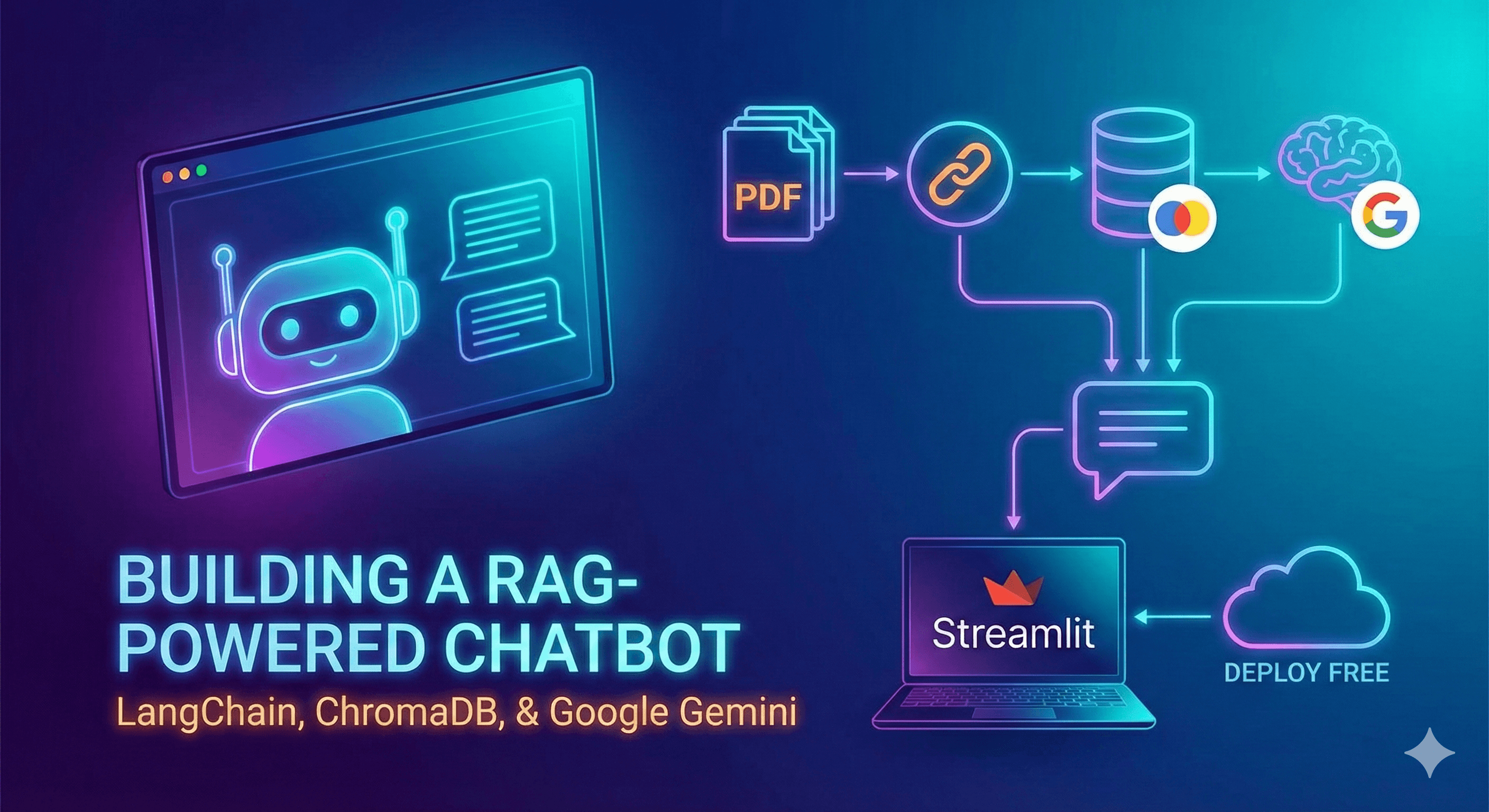
Introduction
Imagine having a personal research assistant that can instantly answer questions about neurodevelopmental disorders by reading through hundreds of medical papers. That's exactly what we're building today!
RAG (Retrieval-Augmented Generation) is a powerful technique that combines two superpowers:
- Information Retrieval - Finding relevant information from your documents
- Text Generation - Using AI to craft intelligent answers based on that information
Think of it like having a super-smart librarian (the retrieval part) who not only finds the right books but also reads them and answers your questions in plain English (the generation part).
In this tutorial, we'll build a RAG system that can answer questions about neurodevelopmental disorders using research papers as its knowledge base. Don't worry if you're new to this - we'll break everything down into bite-sized pieces!
What We're Building
By the end of this tutorial, you'll have:
- A system that reads PDF research papers
- A searchable vector database of medical information
- An interactive chat interface where you can ask questions
- AI-powered answers based solely on your documents
Tech Stack: Our Toolkit
Before we dive in, let's understand the tools we'll use and why we need them:
| Library | Purpose | Why We Need It |
|---|---|---|
| LangChain | Framework for LLM applications | Simplifies connecting different AI components together |
| ChromaDB | Vector database | Stores our documents in a searchable format |
| Sentence Transformers | Creates embeddings | Converts text into numbers that computers can compare |
| Google Gemini | Large Language Model | Generates human-like answers to questions |
| Streamlit | Web framework | Creates our chat interface without complex web development |
| PyPDF | PDF processor | Extracts text from research papers |
Think of it like cooking:
- PDFs are your ingredients
- PyPDF is your knife (cuts/extracts text)
- Sentence Transformers is your spice mix (adds flavor/meaning)
- ChromaDB is your refrigerator (stores everything organized)
- Gemini is your chef (creates the final dish)
- Streamlit is your dining table (presents it beautifully)
System Architecture: The Big Picture
Here's how data flows through our RAG system:
graph TB
    A[📄 PDF Documents in data/ folder] --> B[PyPDFDirectoryLoader]
    B --> C[📝 Raw Text Extracted]
    C --> D[RecursiveCharacterTextSplitter]
    D --> E[🧩 Text Chunks<br/>chunk_size=500, overlap=50]
    E --> F[HuggingFace Embeddings<br/>all-MiniLM-L6-v2]
    F --> G[🔢 Vector Embeddings<br/>numbers that represent meaning]
    G --> H[(ChromaDB Vector Store<br/>chroma_db/ folder)]

    I[👤 User Question] --> J[Embedding Model<br/>same as above]
    J --> K[Question Vector]
    K --> H
    H --> L[🔍 Similarity Search<br/>finds top 5 relevant chunks]
    L --> M[Retrieved Context]
    M --> N[🤖 Gemini LLM]
    I --> N
    N --> O[✨ AI-Generated Answer]

    style A fill:#e1f5ff
    style H fill:#fff4e1
    style N fill:#f0e1ff
    style O fill:#e1ffe1
Understanding the flow:
- Left side (Ingestion): We process PDFs into searchable chunks and store them
- Right side (Query): When you ask a question, we find relevant chunks and generate an answer
Step 1: Data Ingestion - Building Our Knowledge Base
The ingest.py script is like a librarian organizing books on shelves. Let's build it piece by piece!
1.1 Setting Up the Environment
First, we import our tools and load environment variables:
python
What's happening here?
os: Helps us work with file pathsload_dotenv(): Loads secret keys from a.envfile (for API access)- The other imports are our specialized tools we discussed earlier
1.2 Loading PDF Documents
python
Breaking it down:
- We point to a
data/folder in the same directory as our script PyPDFDirectoryLoaderreads ALL PDF files in that folder- Each PDF becomes a "document" object with text and metadata
- We check if we actually found any files (safety first!)
💡 Tip: Put all your research PDFs in the data/ folder before running this script.
1.3 Chunking: Breaking Text into Digestible Pieces
python
Why do we chunk?
Imagine trying to find a recipe in an entire cookbook versus in a recipe card. Smaller pieces are easier to search!
chunk_size=500: Each piece contains ~500 characters (about 1-2 paragraphs)chunk_overlap=50: We overlap chunks by 50 characters to avoid cutting sentences awkwardly- This creates context-rich, searchable units
Example:
Original: "ADHD is a neurodevelopmental disorder. Symptoms include inattention..."

Chunk 1: "ADHD is a neurodevelopmental disorder. Symptoms include..."
Chunk 2: "...Symptoms include inattention and hyperactivity. Treatment..."
         ↑ overlap ensures continuity
1.4 Creating Embeddings: Teaching Computers to Understand Meaning
python
What are embeddings?
Embeddings are like GPS coordinates for words and sentences. They convert text into numbers that represent meaning.
For example:
- "autism spectrum disorder" →
[0.23, -0.45, 0.78, ...](384 numbers) - "ASD" →
[0.22, -0.44, 0.79, ...](very similar numbers!) - "banana recipe" →
[-0.67, 0.12, -0.33, ...](very different numbers)
The model all-MiniLM-L6-v2 is a pre-trained AI that knows how to create these meaningful number representations.
1.5 Storing in Vector Database
python
What's happening:
- ChromaDB takes each chunk and its embedding (those 384 numbers)
- Stores them in a special database optimized for similarity searches
- Saves everything to
chroma_db/folder on your hard drive - Now we can find similar content lightning-fast!
🎉 Ingestion Complete! You now have a searchable knowledge base of all your PDFs.
Step 2: The Application - Answering Questions
The app.py script is where the magic happens. When you ask a question, it searches the database and generates an answer!
2.1 Setting Up the Foundation
python
Similar to before, but now we're importing:
ChatGoogleGenerativeAI: To connect to Google's Gemini AIstreamlit: To create our web interfacechains: LangChain's way of connecting retrieval → generation
2.2 Loading the Vector Database
python
Key points:
@st.cache_resource: Loads the database once and reuses it (faster!)- We use the same embedding model as ingestion (critical for consistency!)
- We connect to our existing
chroma_db/folder
2.3 Building the RAG Chain
This is where retrieval meets generation:
python
Let's break down each part:
🔹 The LLM (Line 4-7):
gemini-2.5-flash-lite: Google's fast, efficient AI modeltemperature=0.3: Lower = more focused answers, higher = more creative (we want accuracy!)
🔹 The Retriever (Line 10):
as_retriever(): Turns our database into a search toolk=5: Fetch the 5 most relevant chunks for each question
🔹 The Prompt (Line 13-25): This is crucial! We instruct the AI to:
- Act as a medical assistant
- Only use information from retrieved documents
- Admit when it doesn't know (avoiding hallucinations)
🔹 The Chain (Line 28-29):
document_chain: Combines the LLM + promptretrieval_chain: Adds the retriever to the mix- Now questions flow: Question → Retrieve docs → Generate answer
2.4 The Chat Interface
python
What's happening:
- State Management:
st.session_state.messagesstores chat history - Display History: Shows all previous messages when you reload
- User Input: The text box at the bottom
- The Magic Moment (Line 26):
python
- This searches the database
- Retrieves relevant chunks
- Feeds them to Gemini
- Returns an answer!
- Error Handling: Gracefully handles any issues
Running Your RAG System
Step 1: Install Dependencies
Create a requirements.txt file:
txt
Install with:
bash
Step 2: Set Up Environment Variables
Create a .env file:
GOOGLE_API_KEY=your_gemini_api_key_here
Get your free API key from Google AI Studio.
Step 3: Add Your Documents
Put your PDF research papers in a data/ folder:
rag-app/
├── data/
│   ├── adhd_research.pdf
│   ├── autism_study.pdf
│   └── neurodevelopment_paper.pdf
├── ingest.py
├── app.py
└── requirements.txt
Step 4: Ingest Your Documents
bash
You'll see:
Split into 487 text chunks.
Success! Database created in 'chroma_db' folder.
Step 5: Launch the App!
bash
Your browser will open with a chat interface. Try asking:
- "What are the main symptoms of ADHD?"
- "How is autism spectrum disorder diagnosed?"
- "What treatments are available for dyslexia?"
What You've Accomplished
Congratulations! 🎉 You've just built a production-ready RAG system! Here's what you now understand:
✅ RAG Architecture - How retrieval and generation work together
✅ Vector Embeddings - Converting text to searchable numbers
✅ Chunking Strategies - Breaking documents into optimal pieces
✅ Similarity Search - Finding relevant information lightning-fast
✅ Prompt Engineering - Controlling AI behavior with instructions
✅ LangChain Chains - Connecting components into workflows
Next Steps: Taking It Further
Now that you have the basics, here are some exciting enhancements:
- Add More Document Types: Support Word docs, websites, or YouTube transcripts
- Improve Chunking: Experiment with semantic chunking or larger sizes
- Add Citations: Show which documents the answer came from
- Better Embeddings: Try
gte-largeorbge-largefor more accuracy - Multiple Collections: Create separate databases for different topics
- Advanced Retrieval: Implement hybrid search (keyword + semantic)
- Deploy Online: Host on Streamlit Cloud, Hugging Face Spaces, or Render
Key Takeaways
RAG is powerful because:
- ✨ Your AI answers are grounded in your specific documents
- 🔒 Data stays private (no uploading PDFs to random websites)
- 🎯 Reduces AI "hallucinations" by limiting responses to known information
- 📚 Scales to thousands of documents without retraining models
- 🔄 Easy to update - just re-run
ingest.pywith new PDFs
Remember:
- Use the same embedding model for ingestion and querying
- Start with smaller
chunk_sizefor precise answers - Prompt engineering is crucial - be specific about what you want
- Always validate AI answers against source documents
Resources
Alternative Models: Customize Your RAG System
Want to experiment with different models? Here are some excellent alternatives to consider:
Embedding Models
The embedding model converts text into vectors. Different models offer different trade-offs between speed, accuracy, and size.
| Model Name | Size | Dimensions | Best For | Speed |
|---|---|---|---|---|
| all-MiniLM-L6-v2 (Current) | 80MB | 384 | General purpose, fast | ⚡⚡⚡ |
| all-mpnet-base-v2 | 420MB | 768 | Better accuracy | ⚡⚡ |
| gte-large | 670MB | 1024 | High accuracy | ⚡ |
| bge-large-en-v1.5 | 1.34GB | 1024 | State-of-the-art English | ⚡ |
| instructor-xl | 4.96GB | 768 | Task-specific instructions | ⚡ |
| e5-large-v2 | 1.34GB | 1024 | Multilingual support | ⚡ |
How to Switch Embedding Models:
In both ingest.py and app.py, replace:
python
With your chosen model:
python
⚠️ Important: If you change the embedding model, you must re-run ingest.py to rebuild your database!
LLM Models
The LLM generates the final answers. Here are alternatives to Google Gemini:
1️⃣ OpenAI (ChatGPT)
python
Setup:
bash
Add to .env:
OPENAI_API_KEY=your_openai_key
Pros: Excellent reasoning, widely used, great documentation
Cons: Costs money per token (though affordable)
2️⃣ Anthropic Claude
python
Setup:
bash
Add to .env:
ANTHROPIC_API_KEY=your_claude_key
Pros: Very safe, excellent for analysis, large context window
Cons: Paid service
3️⃣ Google Gemini (Current)
python
Pros: Generous free tier, fast, multimodal capabilities
Cons: Slightly less accurate than GPT-4 or Claude
4️⃣ Local Models (Ollama)
Run LLMs on your own computer - completely free and private!
python
Setup:
- Install Ollama: Visit ollama.ai
- Pull a model:
ollama pull llama3.2 - Install LangChain integration:
bash
Pros: Free, private, no API keys, works offline
Cons: Requires good hardware (8GB+ RAM), slower than cloud APIs
5️⃣ Groq (Ultra-Fast Inference)
python
Setup:
bash
Add to .env:
GROQ_API_KEY=your_groq_key
Pros: EXTREMELY FAST, free tier available, great for demos
Cons: Limited models compared to OpenAI
6️⃣ Hugging Face Models
python
Setup:
bash
Add to .env:
HUGGINGFACEHUB_API_TOKEN=your_hf_token
Pros: Access to thousands of open-source models, free inference API
Cons: Rate limits on free tier, variable quality
Quick Comparison Table
| Provider | Best Model | Cost | Speed | Privacy | Setup Difficulty |
|---|---|---|---|---|---|
| OpenAI | GPT-4o | 💰💰 | ⚡⚡⚡ | ☁️ Cloud | ⭐ Easy |
| Anthropic | Claude 3.5 Sonnet | 💰💰 | ⚡⚡ | ☁️ Cloud | ⭐ Easy |
| Google Gemini | Gemini 1.5 Pro | 💰 Free tier | ⚡⚡⚡ | ☁️ Cloud | ⭐ Easy |
| Groq | Llama 3.3 70B | 💰 Free tier | ⚡⚡⚡⚡⚡ | ☁️ Cloud | ⭐ Easy |
| Ollama (Local) | Llama 3.2 | ✅ Free | ⚡ | 🔒 100% Local | ⭐⭐ Medium |
| Hugging Face | Various | 💰 Free tier | ⚡⚡ | ☁️ Cloud | ⭐⭐ Medium |
Recommendations by Use Case
🏥 Medical/Research (Accuracy Critical):
- LLM: Claude 3.5 Sonnet or GPT-4o
- Embeddings:
bge-large-en-v1.5orgte-large
⚡ Speed/Free Tier:
- LLM: Groq (Llama 3.3) or Gemini Flash
- Embeddings:
all-MiniLM-L6-v2(current)
🔒 Privacy/Local:
- LLM: Ollama with Llama 3.2 or Mistral
- Embeddings: Any Sentence Transformer (runs locally)
💰 Budget-Conscious:
- LLM: Gemini 1.5 Flash (generous free tier)
- Embeddings:
all-MiniLM-L6-v2(free, efficient)
🌍 Multilingual:
- LLM: GPT-4o or Gemini 1.5 Pro
- Embeddings:
e5-large-v2ormultilingual-e5-large
Source Code
bash
Experimentation Tips
- Start Simple: Begin with free models (Gemini, Ollama) to validate your approach
- Test Systematically: Keep a set of test questions and compare answers across models
- Monitor Costs: Use cloud provider dashboards to track API spending
- Benchmark Speed: Time your queries - faster models improve user experience
- Check Quality: Verify answers against source documents regularly
- Scale Gradually: Start with small datasets, then scale up
Final Thoughts
You've just built something genuinely useful! RAG systems are being used by companies worldwide for:
- Customer support chatbots
- Legal document analysis
- Medical research assistance
- Educational tutoring systems
The best way to learn is by experimenting. Try different models, tweak the prompts, adjust chunk sizes, and see what works best for your use case.
Happy building! 🚀
Have questions or improvements? Feel free to reach out or contribute to the project!